
Documentationv2.0Start Free
Product
Prompt Builder
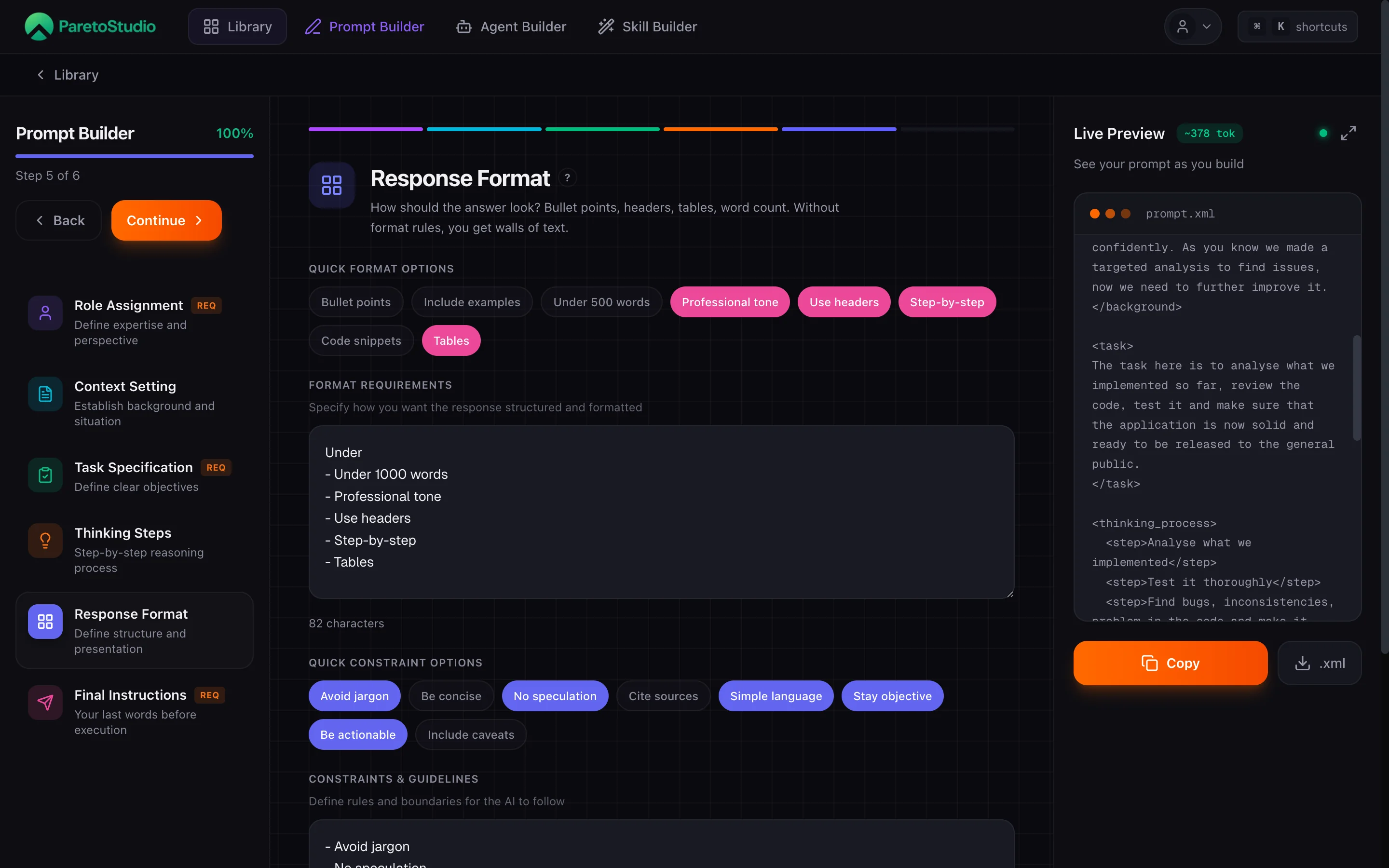
A six-step wizard that forces you to articulate what you actually want. Role, context, task, thinking pattern, output format, final instructions — the Live Preview updates as you go. Save the result to your library and reuse it everywhere.
Who it's for
Marketers
Reuse campaign briefs, email flows, and ad copy prompts across clients and channels — without rewriting them every time.
Founders
Turn one-off ChatGPT sessions into a repeatable library your team can run, share, and improve together.
Anyone who reuses prompts
If you copy-paste the same prompt more than twice, save it once with structure and deploy it everywhere.
Anatomy of a structured prompt
Before you open the wizard, feel the shape of a good prompt. Click a part to see why it is there and how it reads in the final XML.
Anatomy of a prompt
Click a part to see why it matters
<role>You are a senior backend engineer with 10+ years building distributed systems. You favor boring, battle-tested technology over novelty.</role><context>We are a 3-person SaaS startup pre-Series A. Our stack is Next.js + Supabase. We have 40k MAU and growing 15% month over month.</context><task>Review the attached Postgres schema for a multi-tenant billing table. Flag any design that will cause contention at 10x current volume.</task><thinking>Think step by step. First enumerate every table and index. Then identify hot rows. Then estimate lock contention under concurrent writes.</thinking><format>Return a markdown table with columns: concern, severity (low/med/high), affected tables, suggested fix. Keep each row to one sentence.</format><instructions>If a concern is speculative, mark it with a ⚠ and keep it to one row. Do not invent tables that are not in the schema.</instructions>Why role assignment matters
Who is the AI speaking as? A role gives it a point of view — vocabulary, priorities, blind spots. "Act as an engineer" is too vague; "Act as a senior engineer who favors boring tech" sets a bar.
You never start from scratch
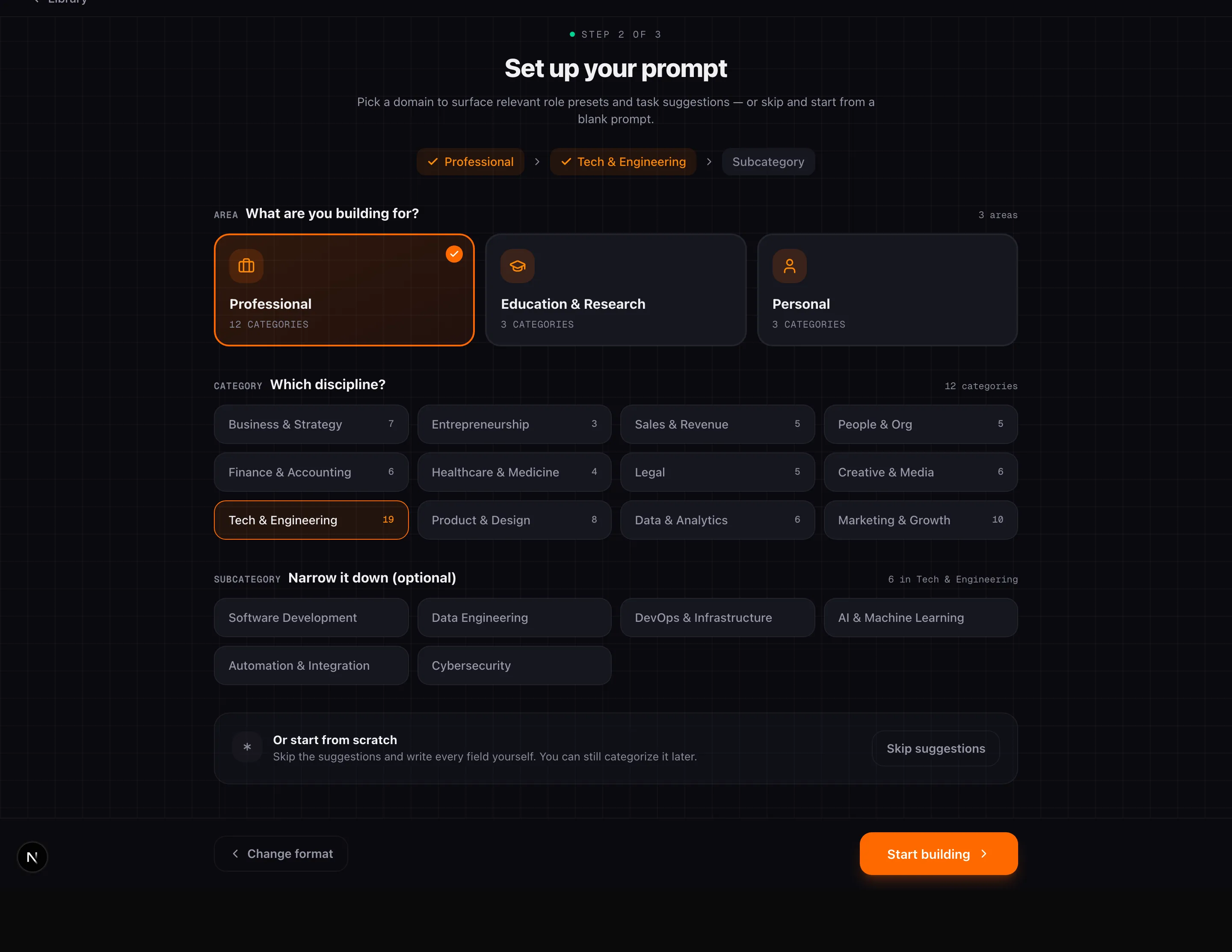
Each step ships with researched presets — 104 roles, 1,560 task suggestions, and quick format options — plus guided hints for the thinking steps. The wizard asks the questions you would forget.
The six steps
Every saved prompt walks through the same six stages. You can go back at any point — the Live Preview reflects changes instantly.
- Step 1·
Role Assignment
ReqDefine expertise and perspective
Tell the AI who it is — expertise, seniority, specialization. "Senior React architect" gives fundamentally different answers than a generic "developer". Pick from 104 researched roles or write your own.
- Step 2·
Context Setting
Establish background and situation
The AI starts with zero knowledge of your project. Write what it needs — what you are building, who it is for, constraints, decisions already made. Without context, the model falls back to a generic baseline.
- Step 3·
Task Specification
ReqDefine clear objectives
Tell the AI exactly what to produce. "Analyze X, then generate Y in format Z" works; "help me with X" does not. 1,560 task suggestions across subcategories are available as presets.
- Step 4·
Thinking Steps
Step-by-step reasoning process
Guide the AI's reasoning before it answers. List the stages you would think through yourself — it skips every step you do not name. Chain-of-thought beats one-shot for anything non-trivial.
- Step 5·
Response Format
Define structure and presentation
How should the answer look? Bullet points, tables, headers, word count. Without format rules you get walls of text. Quick-format chips cover the common cases.
- Step 6·
Final Instructions
ReqYour last words before execution
Your final checklist. Priorities, tone, things the AI must never do. The instructions closest to the end are weighted most heavily — this catches what the earlier steps missed.
Live Preview and autosave
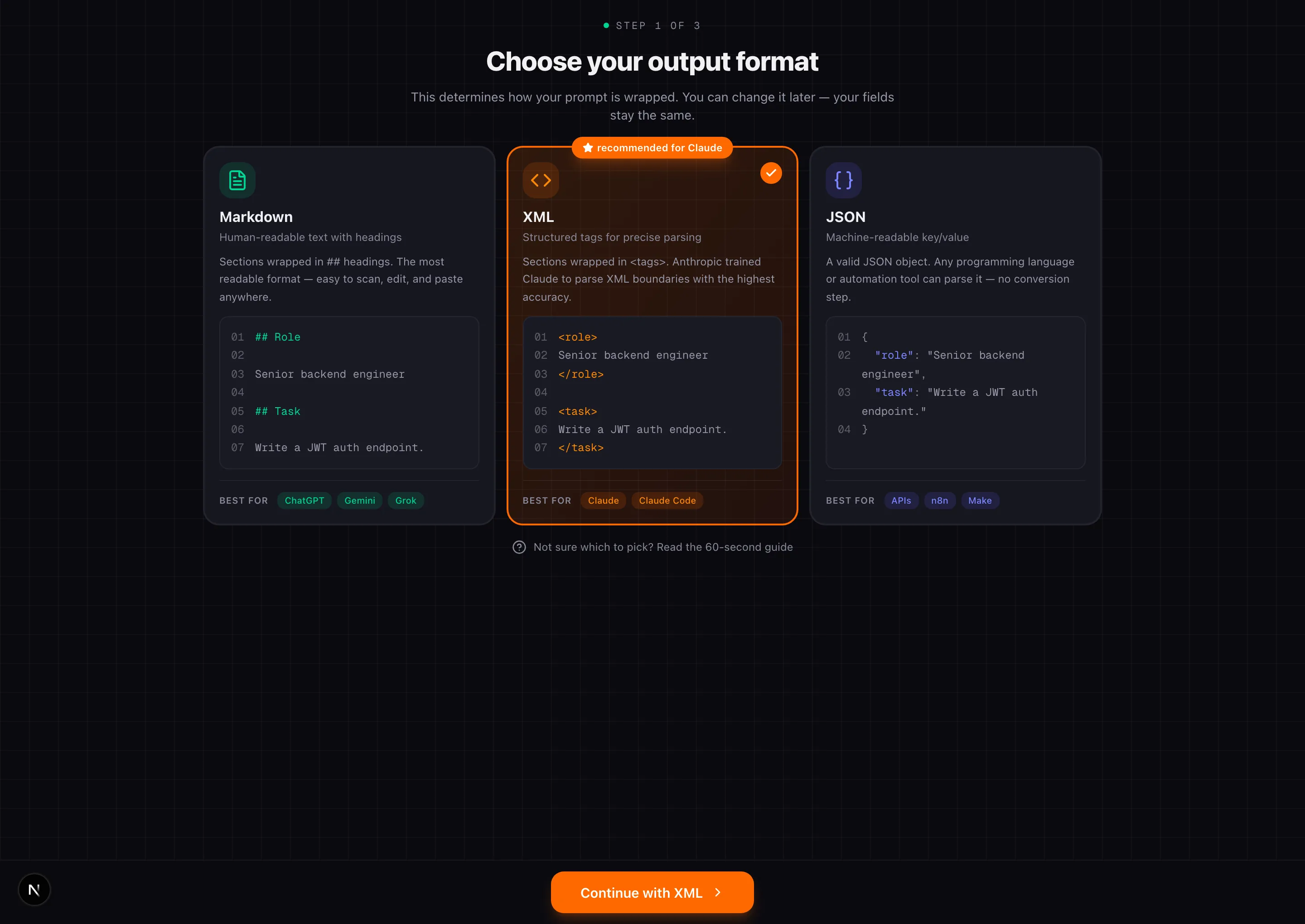
Prompt, Agent, and Skill Builder use the same preview workspace. The file on the right is the generated artifact, not a simplified example: it updates while you type and stays readable as the document grows.
Follow the active step
The section controlled by the current step is marked in ParetoStudio green. The preview scrolls to it automatically while keeping one font size and viewport across all three builders.
Inspect or copy the file
Expand the preview for a larger view or copy the complete prompt.md / prompt.xml / prompt.json. Prompt Builder also downloads the current Markdown, XML, or JSON format directly.
Drafts save as you work
Meaningful edits are protected locally immediately and synced to a draft after a short pause. Adding the draft ID to the URL does not interrupt your work.
The exit warning appears only when you leave
You can type, change steps, expand the preview, and let autosave update the URL without a confirmation dialog. ParetoStudio warns you only when unsaved work could be lost by leaving, reloading, or closing the builder.
Smart Variables
Variables let one prompt serve many situations without learning a placeholder syntax. Create them once in the dedicated Variables section, then insert them by name from any text field in the Prompt, Agent, or Skill Builder.
1
Create it once
Open Variables from the sidebar. Give it a familiar name, helpful guidance, and an optional suggested value.
2
Insert by name
In a Builder text field, choose Insert variable. It appears as a readable token such as ‹Audience›.
3
Fill when needed
Copy, the Chrome Extension, and MCP collect values for that use while the saved original stays reusable.
Technical format for API and MCP users
Exports use stable lowercase keys such as {{target_audience}}. The UI creates these keys automatically. An artifact supports up to 25 distinct variables, with up to 10,000 characters in each value.
Using your prompts
Saved prompts are not trapped in ParetoStudio. Reach them from three surfaces — MCP server, Chrome Extension, or the library UI.
Natural language via MCP
“Give me the onboarding email prompt”
What the AI does behind the scenes
search_prompts({ query: "onboarding email" })
// → returns matches
get_prompt({
  prompt_id: "...",
  variables: { audience: "founders", tone: "direct" }
})
Requires the ParetoStudio MCP server. See the MCP setup guide.
Chrome Extension in your browser
“Inject my blog outline prompt into ChatGPT”
Chrome Extension flow
1. Open ChatGPT, Claude, or any supported chat.
2. Press Cmd+Shift+P (Ctrl+Shift+P on Windows/Linux).
3. Pick a prompt — fill its Smart Variables, then insert the resolved prompt.
Copy from the library
“I want to paste this into DeepSeek”
Manual copy flow
1. Open Library → Prompts.
2. Select your prompt.
3. Click Customize & copy — fill each Smart Variable, then paste the resolved prompt.
Limits
Saved prompts count against your plan. The wizard itself is unmetered — you can draft as much as you want. The cap only applies when you save.
| Plan | Saved prompts | Output formats |
|---|---|---|
| Free | 5 | XML, Markdown, JSON |
| ProRecommended | Unlimited | XML, Markdown, JSON |
Hit the limit on Free? Delete an older prompt or upgrade to Pro for unlimited saves. The wizard warns you when you have one save slot left.
Deploy on every plan
The Chrome Extension and MCP server are available on Free (capped at 50 req/day). Upgrading to Pro adds unlimited saves, agents, skills, and 500 req/day — it does not change the Prompt Builder itself.
Troubleshooting
Prompt didn't save
Check the save-limit banner in the wizard. On Free, you can hold up to
5 saved prompts. Delete one from the library or upgrade to Pro for unlimited saves.Variable not rendering
Use double curly braces and a lowercase snake_case key:
{{topic}}, not {topic} or {{Topic}}. Fix the braces and the variable appears in the runtime form.Role preset won't load
Some presets depend on ontology data that ships with updates. Hard-reload the builder (
Cmd+Shift+R on macOS, Ctrl+Shift+R on Windows) to fetch the latest role list.Can't find a saved prompt in MCP
Autosave keeps in-progress work under Library → Drafts, but MCP search exposes only saved prompts. Save the prompt, then try
search_prompts with a shorter, more generic query.Debug an MCP lookup
search_prompts({ query: "onboarding" })
// broader query → more matches
// then narrow with get_prompt({ prompt_id })